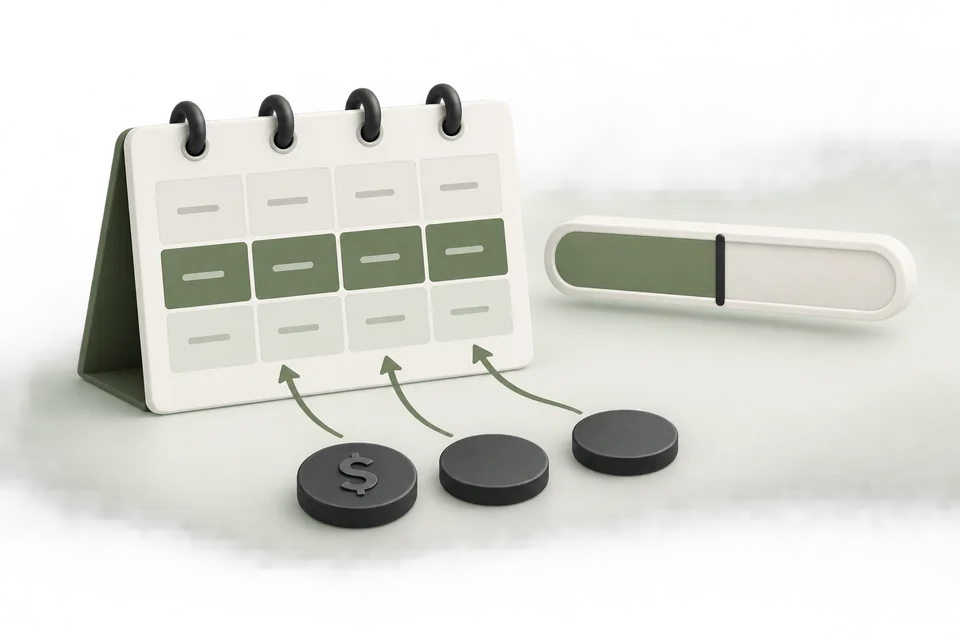
A spending rule should make a specific decision under known conditions. “Keep costs under control” is not enough: the rule needs an account, campaign scope, metric, observation window, threshold, allowed action, and an owner.
Advarde automation rules are off by default and require Advarde superadmin enablement for your workspace. Workspace owners cannot enable the feature themselves. This guide produces a reviewable rule specification and an operating checklist. It uses fictional amounts to explain the decisions. They are examples, not recommended budgets or guarantees of an exact spending ceiling.
Jump to a step in this guide
Your finished deliverable
One narrowly scoped automation policy with documented evidence requirements, simulation results, limits, and stop procedures.
- Advarde superadmin enablement of automation rules for the workspace; the feature is off by default.
- A connected account and authorized owner/admin.
- A clear purpose for the rule and compatible account data.
- Agreed action limits, expiry, and someone who can investigate failures.
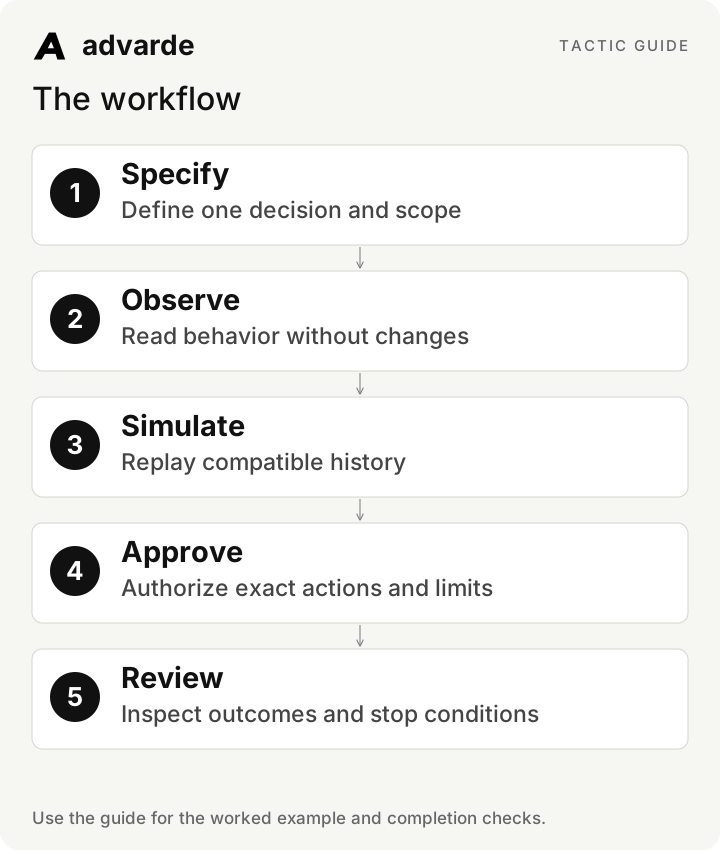
1. Choose the decision the rule should make
Start with one operational problem. Examples include detecting no delivery, pausing after an observed spending threshold, ending a dated offer, or recommending a budget change. Select the least complex behavior that solves the actual task.
Advarde separates observation, recommendation, and automatic actions. A report or alert that observes a condition does not silently become permission to change an account. Name the intended mode and allowed actions explicitly.
| Mode | Useful output | When to use it |
|---|---|---|
| Observe | Recorded condition and evidence | Understand a new rule before authorizing changes |
| Recommend | Proposed action for review | You want a human decision on each change |
| Automatic | Only the actions covered by the approved policy | Scope, evidence, simulation, and limits are ready |
2. Write the policy as a decision contract
Specify the exact campaigns, metric, completed observation window, reporting delay, threshold, action, and expiry. Include what should happen when evidence is missing or stale. A rule should not interpret an unavailable conversion count as zero.
For a conversion-cost rule, confirm the selected campaigns use the intended conversion goal. A $100 CPA for bookings and a $100 CPA for purchases are different business measures. Keep currency and goal definitions attached to the policy.
Draft a rule specification for [account and campaign IDs].
Purpose: [decision]. Mode: [observe/recommend/automatic].
Metric and exact goal: [definition]. Window and reporting delay: [values].
Threshold and minimum evidence: [values with rationale].
Allowed action, limits, cadence, expiry, and owner: [values].
State when to hold because evidence or account state is unknown.
Prepare an unapproved draft only; do not enable or execute changes.
3. Understand the threshold with a worked example
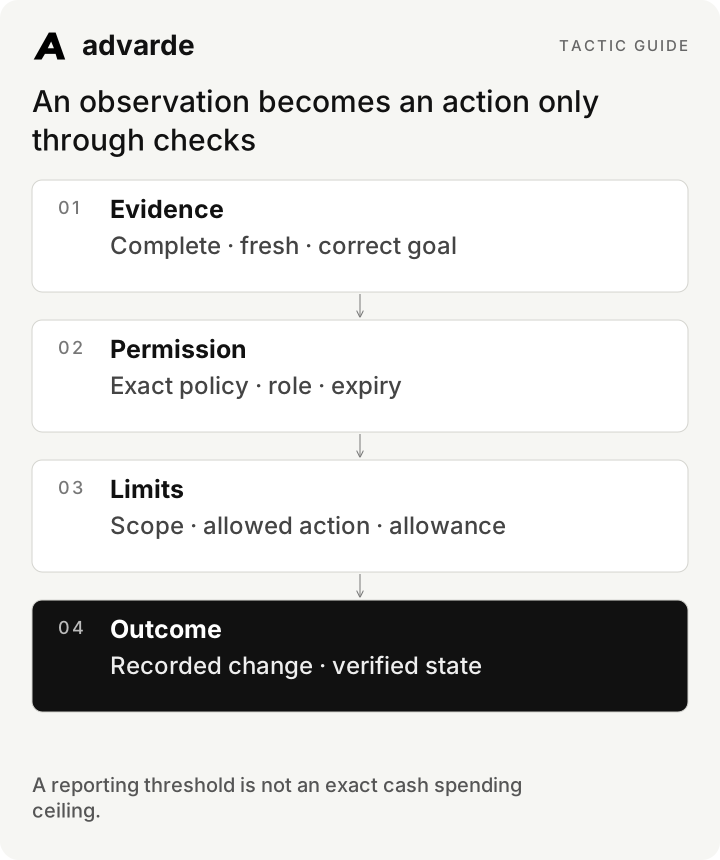
Suppose a fictional policy pauses selected campaigns when observed spend reaches $500. At one check it sees $470, so the condition is false. At the next check it sees $525 and prepares the allowed action. The rule is responding to reported evidence, which may lag actual delivery.
This does not guarantee the campaign will stop at exactly $500. Further delivery can occur before the pause takes effect, and reporting can arrive later. If the business needs a particular spending limit, review the platform’s available budget settings as well as the automation policy; do not treat a delayed monitor as an exact cap.
| Check | Observed spend | Rule interpretation |
|---|---|---|
| First | $470 | Threshold not yet observed |
| Second | $525 | Threshold observed; eligible action evaluated |
| After pause request | May change as reporting arrives | Verify actual state and later reported spend |
| Missing or stale snapshot | Unknown | Hold and investigate instead of guessing |
An observation becomes an action only through checks
4. Observe first, then simulate compatible history
Run the draft in observation mode and inspect the account snapshot. The campaign set, currency, timezone, reporting window, and goal must match your intent. Fix that scope before interpreting the result.
Use compatible saved snapshots to replay the rule. Inspect both times when it would act and times when it would hold. Historical simulation evaluates the saved conditions; it cannot forecast the conversions a different budget would have produced. Advarde requires simulation before approving an automatic policy.
| Replay case | Expected review question |
|---|---|
| Threshold not reached | Does the rule correctly leave the account alone? |
| Threshold reached with sufficient evidence | Is the proposed action exactly the allowed one? |
| Missing conversions | Does the rule hold instead of inventing CPA? |
| Manual pause or external edit | Does the policy respect the changed state? |
| Expired approval or revoked access | Does new dispatch stop? |
5. Review increases and rotations with extra specificity
An allowed budget increase needs both per-action and cumulative limits, as well as the policy’s allocation constraints. Existing manual allocations and pending or uncertain actions matter to the available allowance. A revised policy should not be treated as a fresh spending allowance.
Creative rotation concerns an explicitly selected existing ad and an approved replacement. It does not generate a new creative or establish a statistically proven winner. If you want new creative proposals, use the separate optimization workflow and its review process.
6. Approve the exact policy and verify its first action
Inspect the reviewed version, account, campaign scope, allowed actions, limits, expiry, and stop conditions before enabling it. Changed scope or limits require a new review. Keep the version with the action history so another operator can explain why an action was permitted.
After activation, verify the first evaluation and any resulting action. Read the saved evidence, requested change, and resulting status. An uncertain write requires inspection and reconciliation; a timeout is not permission to send the same mutation again.
Summarize policy [ID and revision] for review.
Show scope, mode, evidence requirements, simulation result, allowed actions,
per-action and cumulative limits, expiry, and stop controls.
Identify unresolved or uncertain activity.
After approval, report the first evaluation and actual recorded outcome.
Do not retry an uncertain write or expand the authorized scope.
7. Distinguish stopping automation from stopping ads
Pausing a policy stops its future automatic work. An account automation stop prevents further automated activity in its scope. Neither necessarily pauses ads already delivering. If delivery must stop, use the appropriate reviewed campaign pause action and verify the resulting state.
A manual pause should not be automatically undone. Assign an incident owner and record what evidence is needed before re-enabling a policy. Review policy usefulness after changes to the offer, campaign structure, measurement, or account ownership.
Complete the worksheet and check your work
Download the free pack and complete the three editable worksheets in order. It includes this illustrated guide and its worked-example tables so you can use the material offline. Replace the fields with your own verified inputs. The prompts work with supplied material; reading or saving Advarde records requires a compatible authorized connection.
- The policy solves one named decision in an exact campaign scope.
- Metric, goal, currency, window, and reporting delay are explicit.
- Missing evidence produces a hold rather than an invented conclusion.
- Observation and compatible simulation have been reviewed.
- The approved version contains the intended actions, limits, and expiry.
- The owner knows how to stop automation and separately stop live delivery.
| Worksheet | Use it for |
|---|---|
| Advertising rule decision contract | policy-contract.md |
| Observation and historical simulation review | simulation-review.md |
| Policy action and stop record | automation-operations.md |
Put this tactic to work in Advarde
Create an Advarde workspace to keep the relevant campaign context, reviewed work, and team records together. Use a connected assistant when it helps you draft or inspect the information. Start with the completed worksheet and the exact account and task you intend to manage. The guide and downloads are free; Advarde subscriptions, assistant access, and advertising spend are separate.
Common questions
Can I use the guide without an Advarde account?
Yes. The illustrated guide, examples, prompts, and editable worksheets are available without signup or an email gate. An Advarde account and appropriate access are needed to carry out the product-specific steps.
Does a prompt or worksheet authorize live changes?
No. Planning and analysis prompts prepare work for review. Changes to advertising follow the applicable account permissions and reviewed authorization. Use the actual connected tools and current account capabilities.