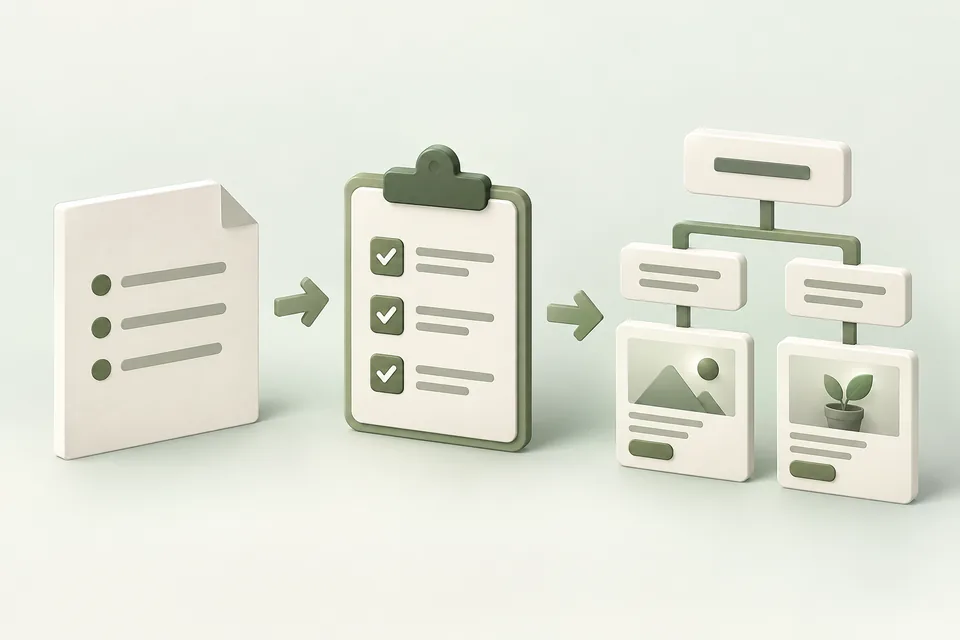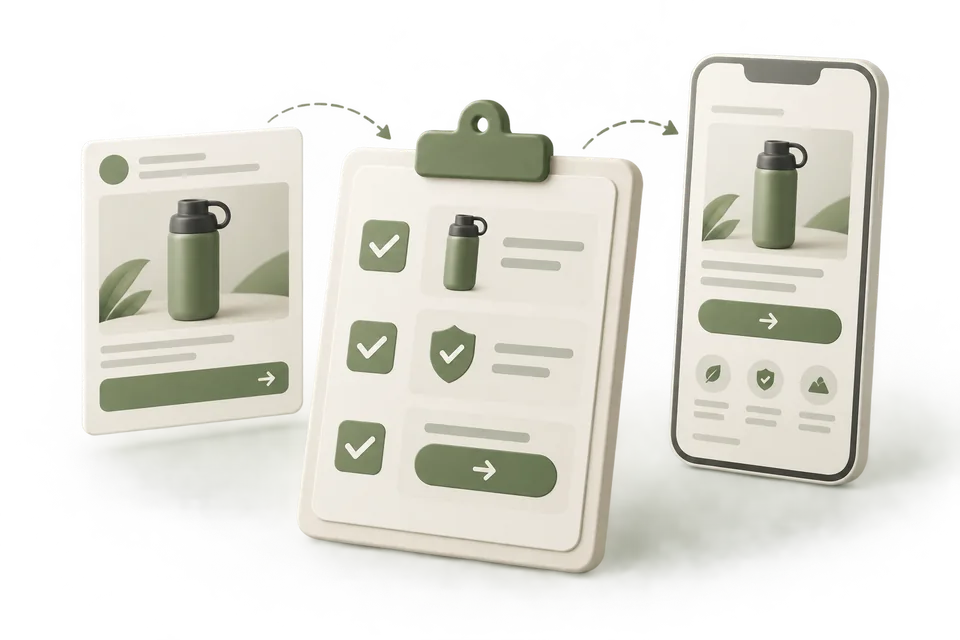
An assistant can make an unsupported claim sound convincing. The solution starts before copywriting: prepare a register of what the business can substantiate, where that evidence lives, and how narrowly the claim should be expressed.
This guide produces a claim register, reusable evidence cards, and a review prompt. It uses a fictional software product to show how an attractive line can exceed its source and how to rewrite it accurately.
Jump to a step in this guide
Your finished deliverable
A maintained set of approved claims that a writer can use and a reviewer can trace back to the source.
- Current product documentation, offer terms, and authorized customer evidence.
- A person who can approve factual scope and resolve contradictions.
- The intended product, market, and campaign context.
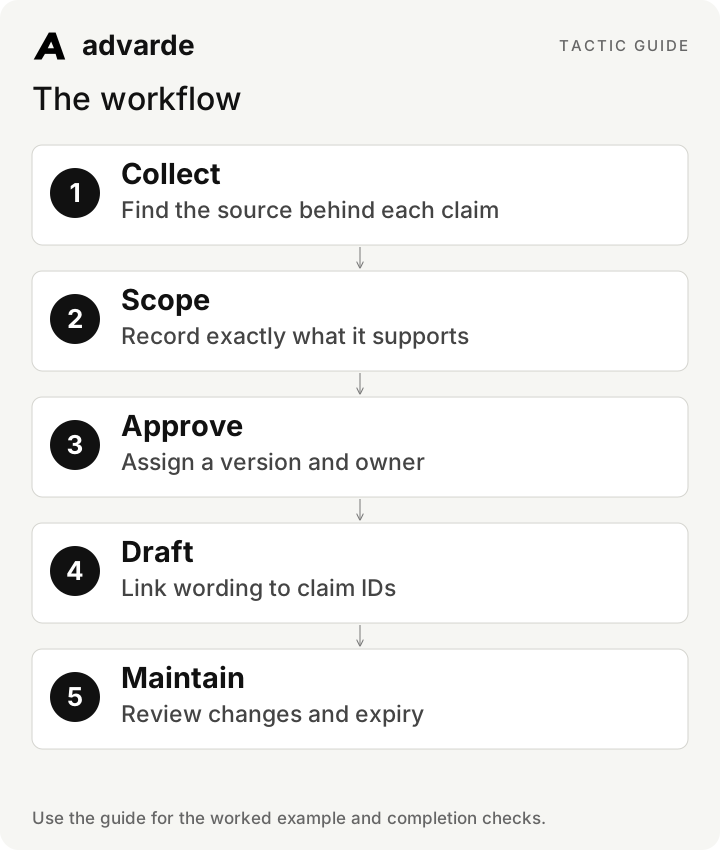
1. Collect evidence by claim type
Separate capability, offer, customer experience, and performance claims. Each needs different support. A feature document may establish that CSV import exists. It cannot establish that every migration is fast or that customers increase revenue.
Record the source location, owner, date, applicable product version, and any restrictions. Treat a sales slide as a source to verify, especially when it summarizes another document. Preserve the original evidence where authorized.
| Claim type | Useful evidence | Question before approval |
|---|---|---|
| Capability | Current product documentation or verified workflow | Does this apply to the advertised version? |
| Offer | Current commercial terms | Who qualifies, and what conditions apply? |
| Customer experience | Authorized original testimonial or case record | May this wording and identity be used? |
| Performance | Relevant measured evidence and method | What population, period, and limitations apply? |
2. Turn a source into a bounded evidence card
Use one claim per card. Write the supported statement, exact source, scope, limitations, approved wording, reviewer, revision, and review date. Include prohibited extensions so the next writer sees where the evidence stops.
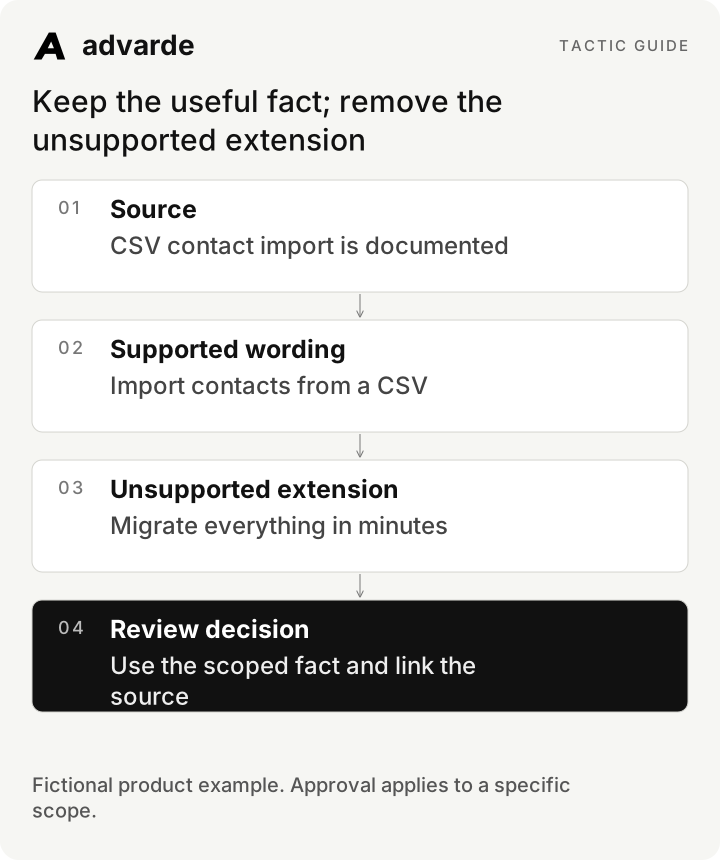
For the fictional Northstar example, documentation supports importing contacts from a CSV with specified fields. It does not support importing every CRM object, a fixed migration duration, or zero data preparation.
| Card field | Fictional example |
|---|---|
| Claim ID | NS-C01 |
| Supported fact | Contact records can be imported from a CSV using documented fields |
| Source | Fictional Northstar contact-import documentation, revision 3 |
| Approved wording | Import your contacts from a CSV |
| Unsupported extensions | Complete migration in minutes; import every CRM automatically |
| Review trigger | Import format, supported fields, or product availability changes |
3. Rewrite claims that exceed their evidence
First identify the unsupported implication. Then replace it with the useful fact the source actually establishes. Removing every specific detail produces bland copy; preserving the supported detail gives the ad something meaningful to say.
Avoid assuming that a softer adjective fixes a missing fact. “Almost instant migration” still makes a speed claim. “See the steps for importing contacts” describes a real next action without inventing a result.
| Proposed wording | Problem | Supported alternative in this example |
|---|---|---|
| Migrate your entire CRM in minutes | Scope and speed exceed the source | Import contacts from a CSV |
| Guaranteed to double sales | No performance evidence or guarantee | Explore shared deal stages in a walkthrough |
| Works with every tool | Universal compatibility unsupported | Review the documented import format |
| Free setup for everyone | Offer eligibility not established | See current setup options and terms |
Keep the useful fact; remove the unsupported extension
4. Mark approval state and contradictions
Use pending, approved, restricted, expired, and rejected states. A pending card can appear in a review queue but should not become an approved advertising claim. If two sources disagree, record the conflict and assign an owner.
Approval belongs to the wording and scope that were reviewed. A writer’s broader paraphrase is a new claim to assess. Keep records current when pricing, eligibility, features, or customer permissions change.
Review these sources [references] and proposed claims [list].
Create one evidence card per claim with source, date, scope, limitations,
proposed wording, unsupported extensions, and owner.
Mark the state pending unless an authorized approval is supplied.
Flag contradictions. Do not resolve missing facts by inference.
Do not invent testimonials, quantified results, certifications, or guarantees.
5. Save the context where the next writer can find it
Ask your connected assistant to save the approved profile, brief, and evidence references in Advarde through MCP. Use collections or tags that identify the product and campaign context. Link the brief to the source records and include current revision information.
The assistant supplies drafted copy using the context it reads; the library is not a guarantee that every future conversation automatically uses every record. Ask the assistant to name the records and revisions used before generating an ad.
6. Require claim IDs in the first draft
Ask for copy plus an evidence annotation. The annotation is for internal review, not necessarily text to publish in the ad. A reviewer should be able to trace each factual implication without searching a folder.
Distinguish product facts from proposed creative framing. “Move beyond spreadsheets” is an angle; the associated capability claim still needs support. Check the image and destination too: a graphic or page can imply an unsupported outcome even when the ad text is careful.
Use only approved evidence cards [IDs and revisions].
Draft three ad options for [offer and customer situation].
Return title, body, destination, and an internal claim annotation for each option.
For every factual implication cite the supporting card and scope.
List any statement that needs a new approval. Keep unsupported statements out of copy.
Prepare drafts for human review; do not publish.
7. Review the full ad and maintain the register
Read the proposed title, body, image, offer, and destination together. Confirm that qualifiers are visible where needed and that a headline does not imply more than the explanation supports. Check the exact revision that will be published.
After publication, retain the ad IDs associated with important claims. When a claim expires or becomes inaccurate, identify the affected creative and prepare the appropriate reviewed changes. Updating a library card alone does not rewrite or pause live ads.
Audit [ad revision, image description, destination] against [approved cards].
Return: exact wording, implied claim, supporting card, scope match,
and decision: acceptable / revise / needs approval.
Flag contradictions across the ad and landing page.
For changed or expired claims, identify known affected ad IDs and propose a review.
Do not change live ads automatically.Complete the worksheet and check your work
Download the free pack and complete the three editable worksheets in order. It includes this illustrated guide and its worked-example tables so you can use the material offline. Replace the fields with your own verified inputs. The prompts work with supplied material; reading or saving Advarde records requires a compatible authorized connection.
- Every factual claim has an identifiable source.
- The wording stays within the source’s scope.
- Pending and expired claims are excluded from approved drafting context.
- Contradictions have owners rather than invented resolutions.
- The ad, image, and destination are reviewed together.
- Changes to evidence trigger review of affected live ad IDs.
| Worksheet | Use it for |
|---|---|
| Advertising claim register | claim-register.md |
| Reusable claim evidence card | evidence-card.md |
| Ad claim review | claim-copy-review.md |
Put this tactic to work in Advarde
Create an Advarde workspace to keep the relevant campaign context, reviewed work, and team records together. Use a connected assistant when it helps you draft or inspect the information. Start with the completed worksheet and the exact account and task you intend to manage. The guide and downloads are free; Advarde subscriptions, assistant access, and advertising spend are separate.
Common questions
Can I use the guide without an Advarde account?
Yes. The illustrated guide, examples, prompts, and editable worksheets are available without signup or an email gate. An Advarde account and appropriate access are needed to carry out the product-specific steps.
Does a prompt or worksheet authorize live changes?
No. Planning and analysis prompts prepare work for review. Changes to advertising follow the applicable account permissions and reviewed authorization. Use the actual connected tools and current account capabilities.