
Context hints describe conversations in which your offer may be relevant. They are not an exact-match keyword list. A useful hint connects a person’s situation with a problem your product can actually solve.
Start with the offer and the buyer’s decision. Then describe the surrounding conversation in natural language. The goal is a coherent set of contexts you can review, not thousands of loosely related phrases.
Write the situation before the product name
“A freelance designer comparing ways to manage invoices and late payments” describes a situation. “Accounting, bookkeeping, software, invoices” is only a list of terms. The situation helps a reviewer understand why the product belongs in that conversation.
Use information you can support from your offer and customer research. Do not add an industry, integration, or outcome merely because it produces another keyword variation. A hint that attracts the wrong use case can increase review work and send visitors to an unsuitable destination.
| Weak starting point | More useful context |
|---|---|
| Project management | A small agency comparing ways to track client approvals and deadlines |
| Running shoes | A recreational runner choosing shoes for regular road training |
| Book a consultation | A small business owner deciding whether to outsource monthly bookkeeping |
Organize hints into a few intent groups
Separate problem discovery, option comparison, and implementation when those stages call for different messages. Someone defining a problem may need an explanation. Someone comparing providers may need evidence, pricing context, or a clear next step.
For each group, write one sentence explaining the offer and choose a destination. If the landing page cannot answer the conversation described in the hint, improve the destination or remove the hint. This review often matters more than expanding the list.
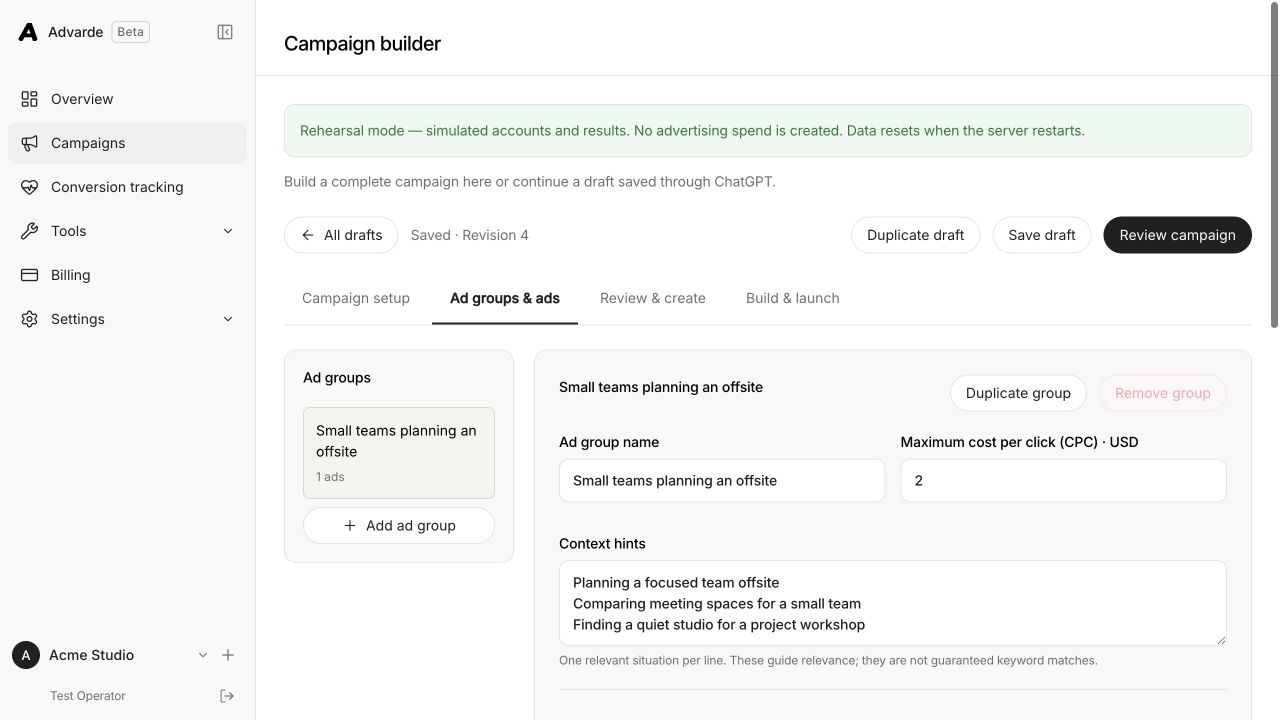
Review generated hints before using them
The free Advarde generator creates editable drafts from the brief you enter. It is a drafting aid; it does not query private ChatGPT conversations or predict available impressions. Read every result before copying it into a campaign.
Remove invented product claims, duplicate situations, and contexts outside your service area. Keep specific language where it changes the buyer’s decision, but do not assume that extra specificity creates a targeting restriction. OpenAI’s account controls determine the actual delivery settings.
Test a context with a matching message
Keep the first test readable. If your hypothesis is that agencies need faster approvals, use a message and destination about approvals. Compare it with a genuinely different need, such as consolidated reporting, rather than a cosmetic rewording of the same promise.
Record the group, creative version, destination, and dates together. If results differ, inspect the traffic quality and conversion path before attributing the difference to the wording of a hint. Context, bid, creative, and landing page can all affect the observed outcome.
Keep the operating limits separate from the strategy
A platform may accept a large number of hints without making that volume a sensible launch plan. Check the current field limits in the interface or API you use. An accepted payload proves only that the field passed validation.
Use a short review checklist: the situation is understandable, the offer is relevant, the claim is supported, the destination fits, and the list has no unnecessary duplicates. Save the approved brief with the campaign so later edits retain the same intent.
Sources and verification
Platform details checked on September 11, 2026. Your account may expose a different set of features. Examples are illustrative unless a dataset is explicitly supplied.