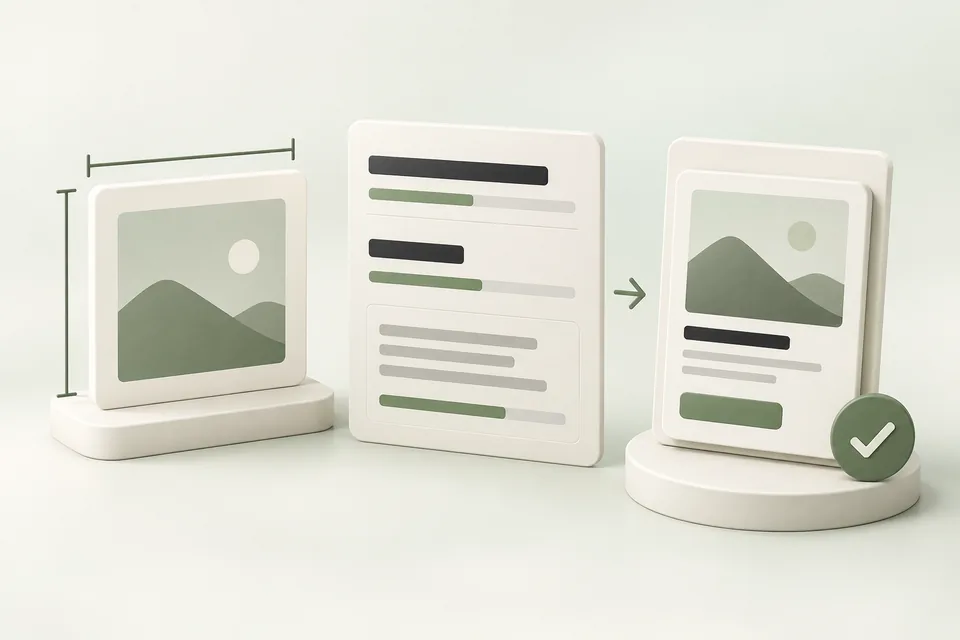
For the standard image-ad workflow, prepare a square PNG or JPG no larger than 1200 × 1200 pixels. The published maximums are 50 characters for the title and 100 for the description. The shorter recommended ranges are writing guidance, not the maximum field lengths.
Quick answer
Use these published ceilings for the documented Ads Manager bulk-upload workflow, then confirm the live upload surface you use.
- Image: square PNG or JPG, no larger than 1200 × 1200 pixels for the documented bulk-upload workflow.
- Title: maximum 50 characters (API accepts 3–50). The shorter 16–24 range is writing guidance only.
- Description: maximum 100 characters. The 32–48 range is guidance only.
- Always re-check the live upload surface; product-feed templates can differ.
ChatGPT ad specifications at a glance
Checked September 18, 2026. The image row below comes from OpenAI’s Ads Manager bulk-upload instructions; the API reference separately defines the text fields. Confirm the requirements in the submission surface you use, particularly for product-feed templates.
| Field | Published requirement | Preparation note |
|---|---|---|
| Ad title / headline | Maximum 50 characters; API accepts 3–50 | OpenAI recommends a shorter 16–24-character title where it conveys the offer. |
| Ad description / body | Maximum 100 characters | The recommended 32–48-character range is not the maximum. |
| Image size and shape | Square; no larger than 1200 × 1200 pixels for the documented bulk-upload workflow | An export at 1200 × 1200 fits that stated ceiling. Confirm the current upload validation. |
| Image format | PNG or JPG for that workflow | Use a direct, publicly reachable image URL when uploading by URL. |
| Landing page | Valid, reachable URL accessible to the required OpenAI crawlers | Open the final tagged URL and check the offer and primary action. |
| Account favicon | API upload minimum: 128 × 128 pixels | This is a separate brand asset, not the ad image. |
- ChatGPT ads overview for advertisers ↗
- ChatGPT ads examples ↗
- Preview title, description, and image together ↗
- Save the reviewed creative in the brief template ↗
- Build a tagged destination URL ↗
- OpenAI: launch campaigns — creative requirements ↗
- OpenAI: Advertiser API ad fields ↗
- OpenAI: image and favicon uploads ↗
Check the current text limits
Write the value in the title and use the description for a concrete reason to act. Shorter copy can be easier to read, but do not reject a clear title solely because it exceeds a suggested writing range.
The native upload or API validation decides whether a submission is accepted. Emoji and combined characters can behave differently across counters. Use Advarde’s counter for preparation, then inspect the platform’s actual response. This reference does not set an additional minimum description length.
Prepare an image that supports the offer
Keep the editable original and export a separate square image. Avoid stretching a portrait or landscape photograph; crop deliberately and retain the subject at a small display size. Open the exported file before uploading it.
The linked bulk-upload instructions specify dimensions and formats but do not establish a universal ad-image byte limit for every API and interface. Advarde’s local preview or upload may impose its own size limit. Treat that as an Advarde limit, and use the live upload validation for the chosen platform surface.
The favicon represents the advertiser; it does not replace the creative image. Product-feed ads obtain their image and destination from the selected feed item, so check that workflow’s requirements separately.
Make the destination part of creative review
Open the final URL with its campaign tags in a fresh browser session. Confirm that redirects finish on the intended offer, the mobile layout is readable and the main action works. An image URL should return image data, not a sharing page or a sign-in screen.
Keep source, medium, campaign and creative tags consistent. Do not include a visitor’s contact details in a tracking URL. Give each creative a useful identifier so later analysis can distinguish variants.
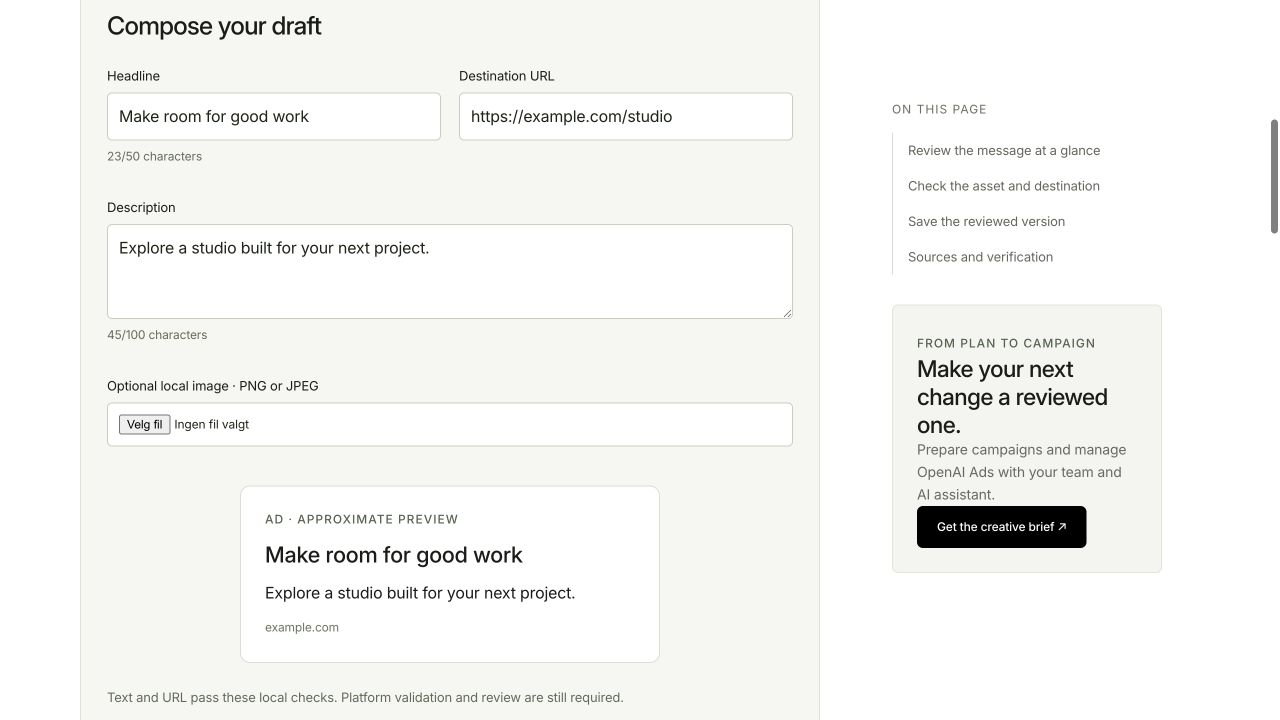
Use the preview as a composition check
Enter your title, description and destination in Advarde’s free preview, then choose a local image if needed. Review the complete card and read the copy at a small size. The preview checks your draft locally and does not submit an ad.
The sample card approximates a composition. It does not establish the appearance of every ChatGPT placement, policy approval or advertiser eligibility. Inspect the platform’s preview and review status before launch.
Save a reviewable creative version
Save the exact text, destination, image filename and a version label in the creative brief. Ask the reviewer to assess that combination. Update the version when the offer or claim changes.
After submission, check validation and review status separately from delivery. An accepted field is not evidence that the ad has been approved or shown.
After creative is ready, install measurement in Google Tag Manager so test actions can be verified before spend.
Common questions
What image size do ChatGPT ads use?
Use a square PNG or JPG no larger than 1200 × 1200 pixels for the documented Ads Manager bulk-upload workflow. Confirm the current upload validation for the surface you use. Product-feed ads take their image from the selected feed item and can differ.
What are the ChatGPT ad title and description character limits?
The published maximums are 50 characters for the title (API accepts 3–50) and 100 characters for the description. Shorter recommended ranges (about 16–24 for titles and 32–48 for descriptions) are writing guidance, not separate field limits.
Does the recommended shorter copy length reject a longer valid title?
No. A clear title within the published 50-character maximum is valid even when it exceeds the shorter recommended writing range. The native upload or API validation decides acceptance, not the recommended range.
What image formats do ChatGPT ads accept?
PNG or JPG for the documented Ads Manager bulk-upload workflow. Use a direct, publicly reachable image URL when uploading by URL.
Is the account favicon the same as the ad image?
No. The favicon is a separate brand asset with an API upload minimum of 128 × 128 pixels; it does not replace the creative image.
Sources and verification
Editorial refresh October 21, 2026: visible FAQ with FAQPage JSON-LD. Image dimensions/formats still refer to the documented Ads Manager bulk-upload workflow; text constraints are checked against the Advertiser API as of September 18, 2026. Confirm requirements in your current upload surface. Your account may expose a different set of features. Examples are illustrative unless a dataset is explicitly supplied.