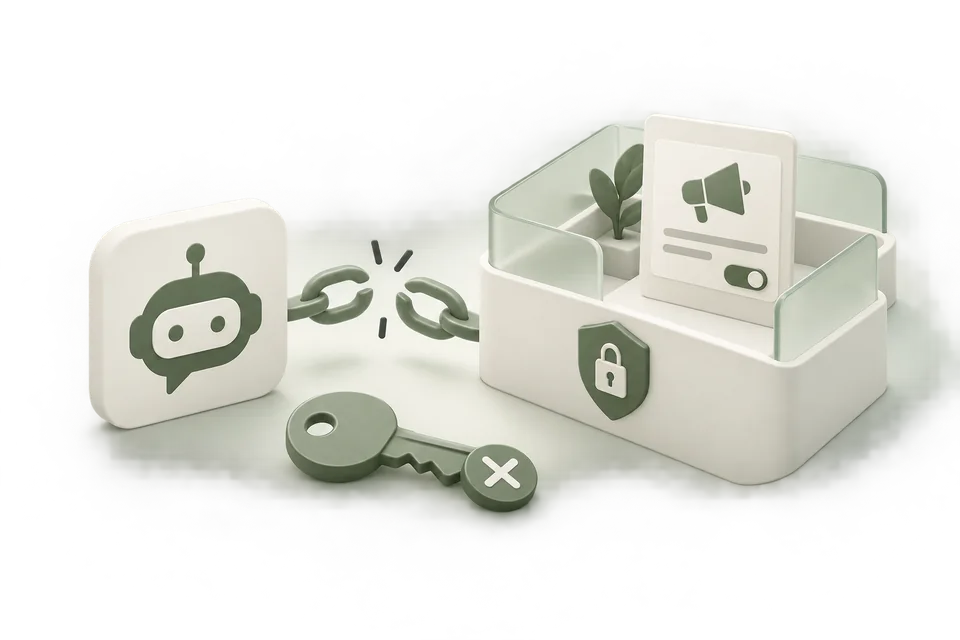
Several credentials can appear in an advertising workflow, and they are not interchangeable. An advertiser API key manages authorized ad account operations. A conversion key serves a measurement integration. An Advarde assistant connection grants access to a workspace through MCP.
What is the ChatGPT Ads API?
The ChatGPT Ads API is OpenAI’s advertiser interface for authorized account operations — connecting an ad account, inspecting campaigns, and preparing changes through the documented authentication scheme. Access is credential-based: you use an advertiser API key for account work, a separate Conversions API secret for server-side measurement, and a distinct assistant path when an MCP client talks to an Advarde workspace.
These paths are complementary, not substitutes. A model API key is for model usage only and does not authorize advertiser or conversion calls. For request shapes and field definitions, use the current OpenAI Ads API reference alongside Advarde’s Conversions API setup guide.
Conversions API key vs advertiser key
Use the table below to keep measurement secrets and advertiser credentials on the right surface. Neither key belongs in a public browser snippet.
| Credential | Who uses it | Where it lives | Browser-safe? |
|---|---|---|---|
| Advertiser API key | Operators connecting an OpenAI Ads account | Advarde account connection or server secret store | No |
| Conversions API key | Server-side measurement integrations | Destination server secret store | No |
| Browser pixel ID | Website / tag-manager installation | Installed page code (visible) | Yes — it is not a secret |
Use the credential for the intended service
Do not paste a model API key into an advertiser account connection. Obtain advertiser access through the account’s supported settings and use the documented authentication scheme for that API.
Keep the advertiser account ID with the connection record. A valid credential does not remove the need to select the right account or verify that the person configuring it is authorized to manage that account.
| Credential | Used for | Where to keep it |
|---|---|---|
| Advertiser API key | Authorized OpenAI Ads account operations | Advarde account connection or server secret store |
| Conversion key | Server-side measurement requests | Destination server secret store |
| Advarde OAuth connection | Assistant access to a selected workspace | The assistant’s supported connection flow |
| Advarde workspace token | Compatible bearer-token MCP clients | Client secret configuration |
| Model API key | Model API usage | Separate from advertiser and conversion credentials |
Connect an assistant through workspace access
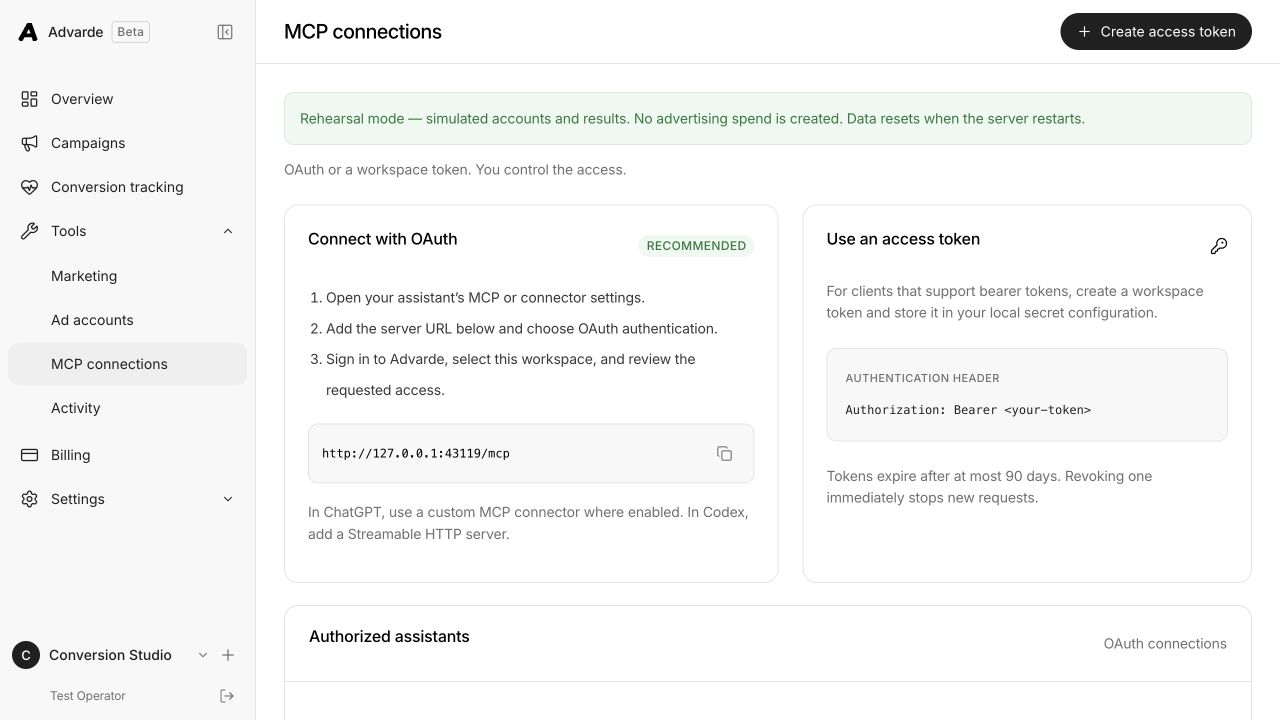
Open MCP connections in Advarde and use the displayed server URL. Prefer the OAuth flow when the client supports it: sign in, choose the workspace, and review access. Clients that support bearer tokens can use a scoped workspace token.
Start with a read operation that lists the account and its currency. Confirm that the returned account is the one intended for the task. Then ask the assistant to prepare a change for review before applying any consequential edit.
Keep conversion secrets out of the browser
A server-side measurement credential belongs on the destination server. Do not add it to a public tag-manager snippet, a campaign URL, an image, or a screenshot. The browser pixel ID has a different purpose and is visible in the installed code.
To confirm the browser side only sends the pixel, not a secret, inspect a test action with the ChatGPT Pixel Helper.
When documenting setup, use placeholders for secrets and show only the surrounding interface. If a credential is exposed, rotate or revoke it through the appropriate service and inspect the integration that used it.
Revoke the correct access path
Removing an assistant’s Advarde connection stops that access path; it does not necessarily rotate the upstream advertiser key. Revoke the advertiser key when that upstream credential should no longer work. Treat workspace membership, assistant authorization, and advertiser credentials as separate controls.
For an agency offboarding, remove the relevant user or assistant access, review active automation policies, and confirm who retains the advertiser account. Stopping an automation policy does not itself pause live advertising.
Document ownership and rotation
Keep a record of the credential’s purpose, owner, creation date, expiry where applicable, and dependent integration. Store the secret value in the appropriate secret store rather than in the operational document.
After rotation, test a harmless read or validation request before relying on the integration. Preserve a clear record of which connection was updated so another operator does not accidentally restore an obsolete key.
Common questions
Is there a ChatGPT Ads API?
Yes. OpenAI documents an Advertiser API for authorized ad account operations, plus a separate Conversions API for server-side measurement. Access uses the credential that matches each service — not a ChatGPT subscription or a model API key.
Where do I get a ChatGPT Ads API key?
Obtain the advertiser API credential through the OpenAI Ads account’s supported settings. Create or rotate a Conversions API secret from the conversion setup’s server-side installation path. Advarde assistant access uses workspace OAuth or a scoped workspace token, not the advertiser key.
Can I use the conversion key in the browser?
No. Keep the Conversions API secret on the destination server. The browser pixel ID is visible in installed code and is not a substitute for the conversion secret.
How do I revoke assistant access?
Remove the assistant’s Advarde OAuth connection or revoke the workspace token in your workspace. That stops the assistant path; it does not automatically rotate the upstream advertiser API key.
Sources and verification
Platform details checked on October 21, 2026. Your account may expose a different set of features. Examples are illustrative unless a dataset is explicitly supplied.